Product Security - Audit Logs
Audit logs provide a chronological record of all activities performed by authorized users in the organization. Administrators can view logs but cannot delete them.
- Navigate to System → Audit Logs to access logs.
System Logs
System logs contain the entire history of actions in the organization. Logs are sorted by date/time (latest first).
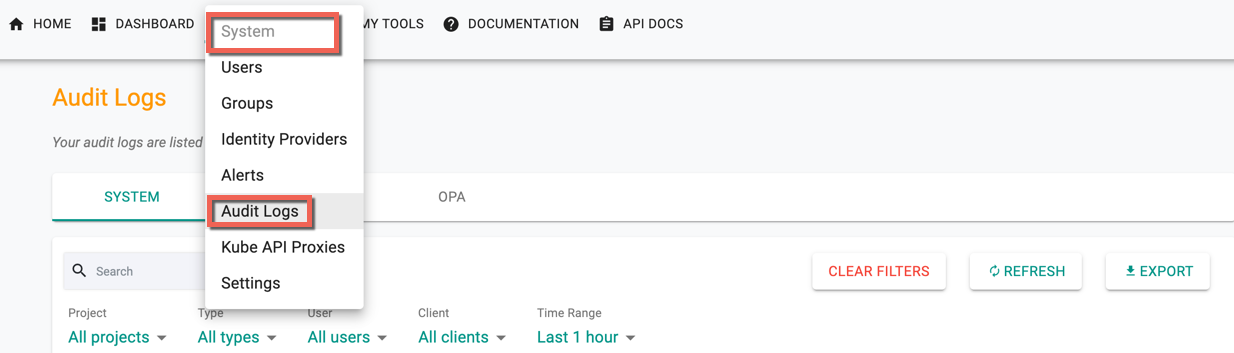
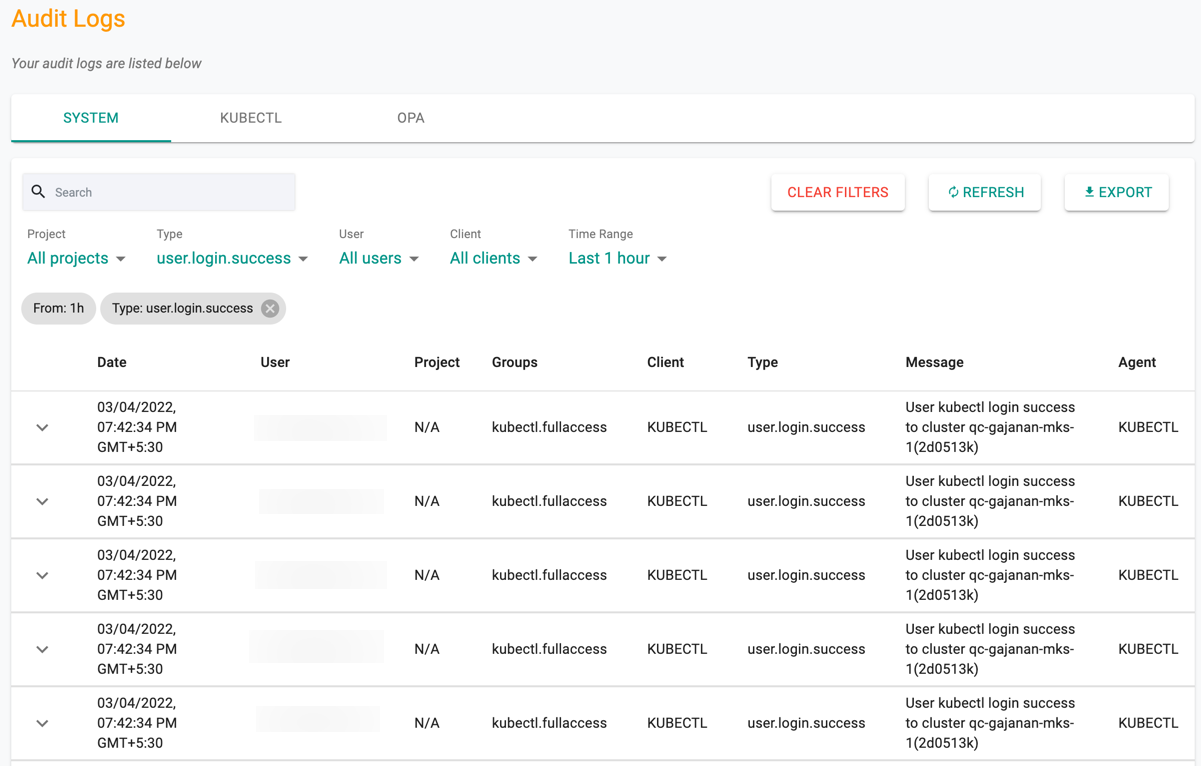
Filters
Use canned filters to quickly retrieve required data:
- Project
- Action type
- User
- Client type (Browser, CLI, KUBECTL)
- Time range
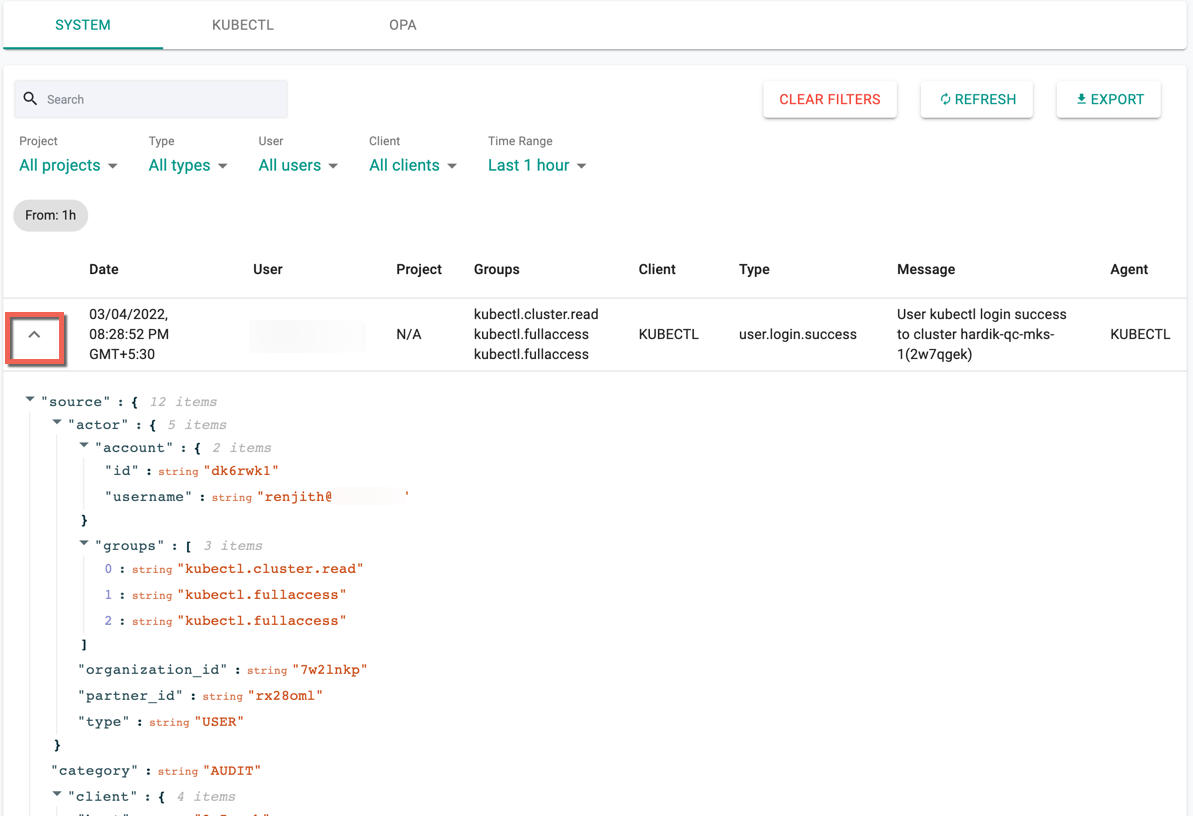
Logs can also be expanded to view complete JSON payload.
KUBECTL Logs
Displays history of kubectl commands and API calls.
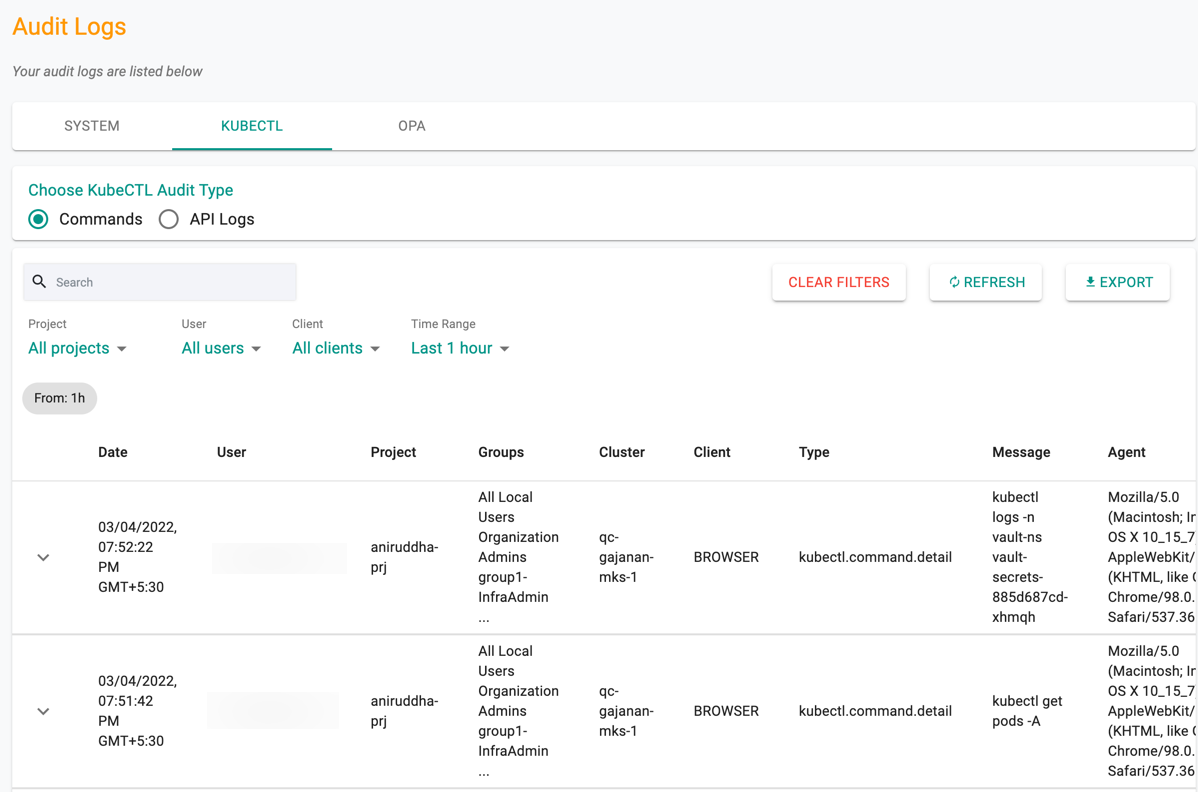
Options:
- Search logs
- Clear Filters to reset view
- Refresh for latest logs
- Export logs in CSV
Export to SIEM
Audit logs can be streamed to a corporate SIEM for centralized monitoring. See SIEM Integration for additional details.